AI Subtitles & Voiceovers.
100% On Your Mac.
Transcribe, style, and burn subtitles with emotion-aware AI.
Generate voiceovers. Batch-process folders. No cloud. No subscription.
Free forever · macOS 13+ · Apple Silicon · No signup required
One app. Three studios.
Everything you need to make your videos accessible and professional.
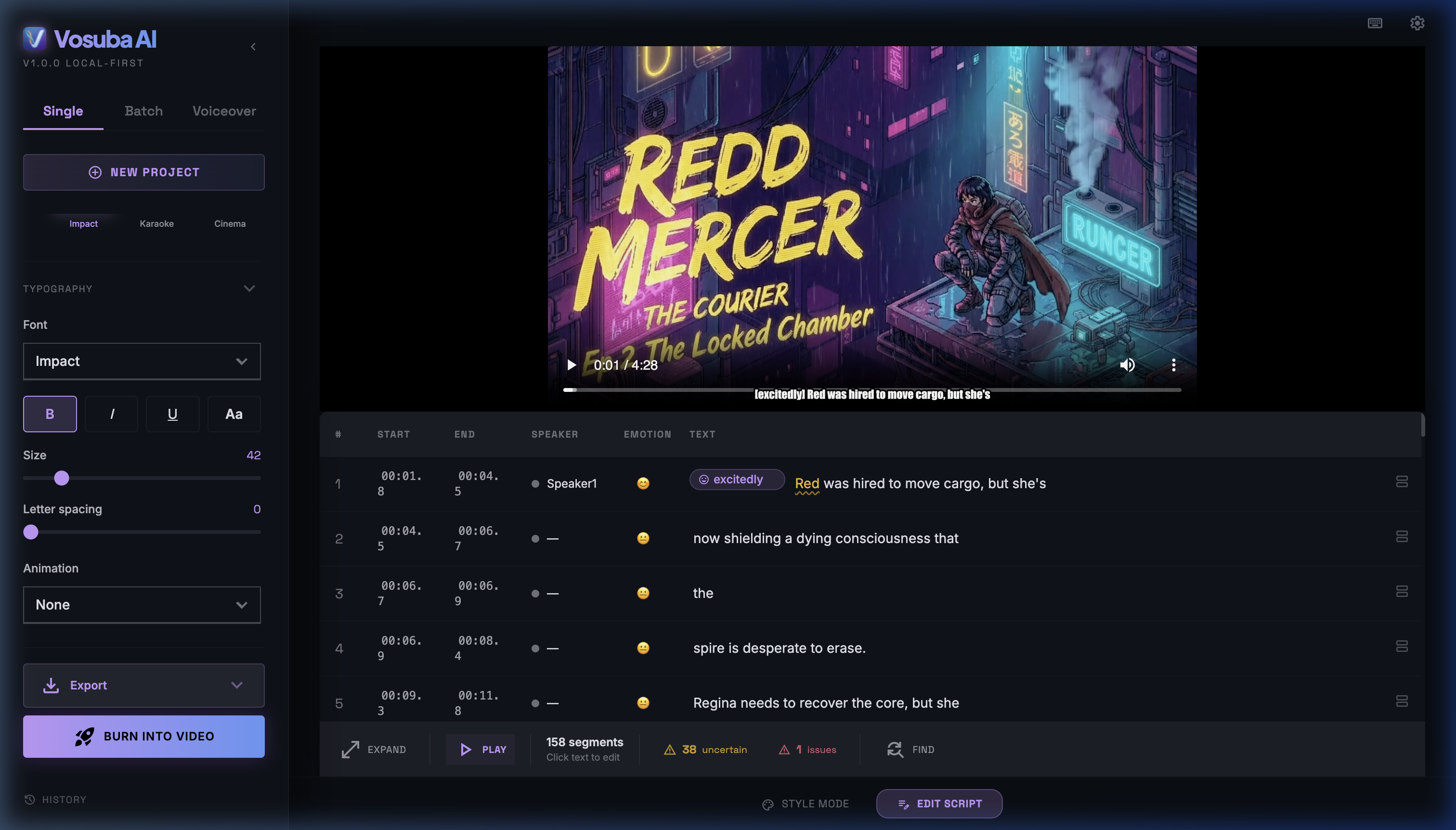
AI-Powered Subtitle Editor
Whisper-powered transcription with emotion detection, speaker diarization, and real-time caption compliance checking. Edit, style, and burn subtitles directly into your video.
- Emotion-aware styling & word highlighting
- 5 animation styles (pop-in, fade, bounce, typewriter, slide)
- CPS validation with auto-fix
- Export SRT, VTT, ASS, or burn into video
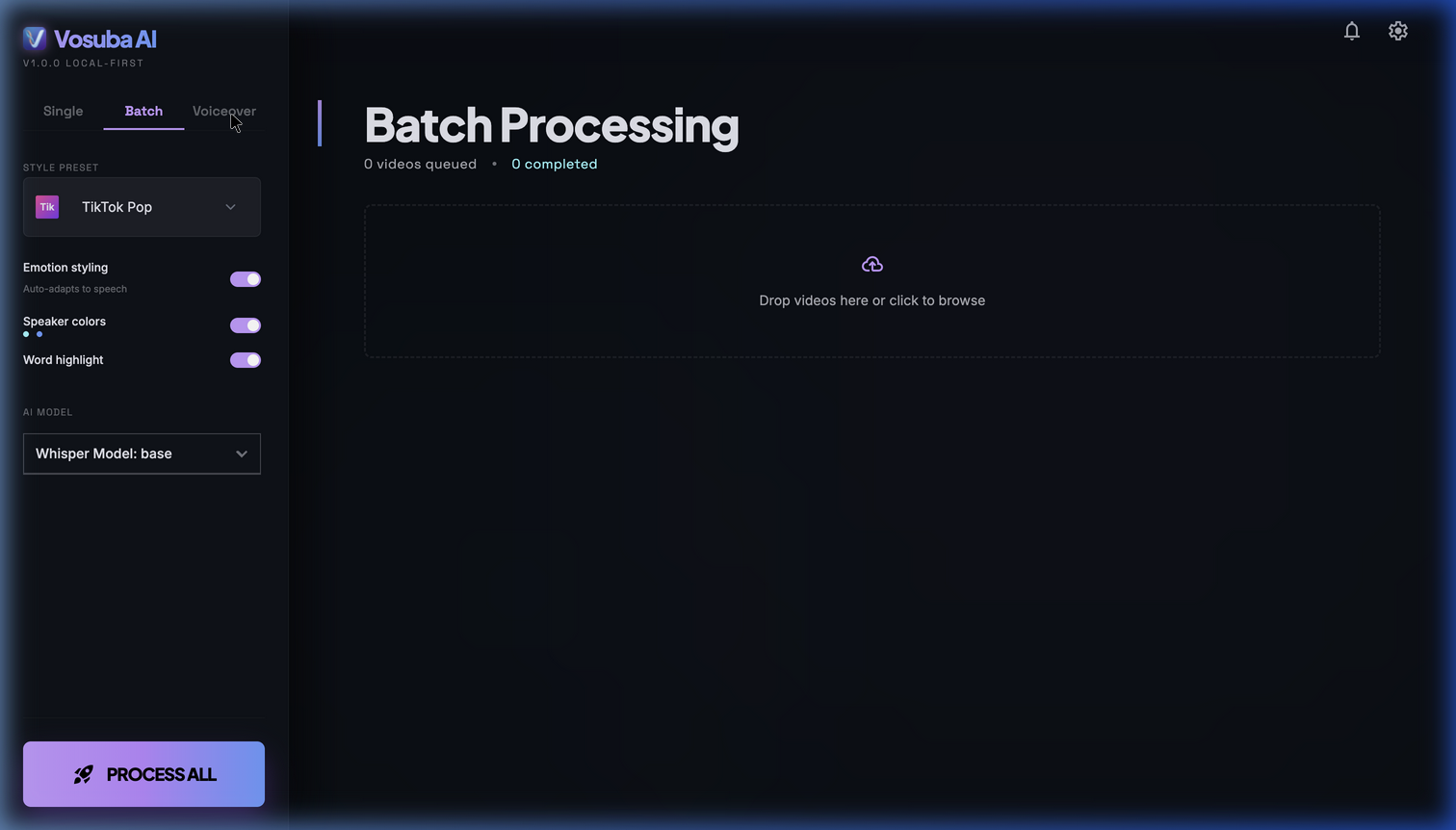
Batch Processing
Drop a folder of videos and walk away. Vosuba processes them all with your chosen style preset, model, and export settings.
- Process entire folders in one click
- Apply consistent styles across all videos
- Progress dashboard with per-file status
- Automatic SRT/VTT export per file
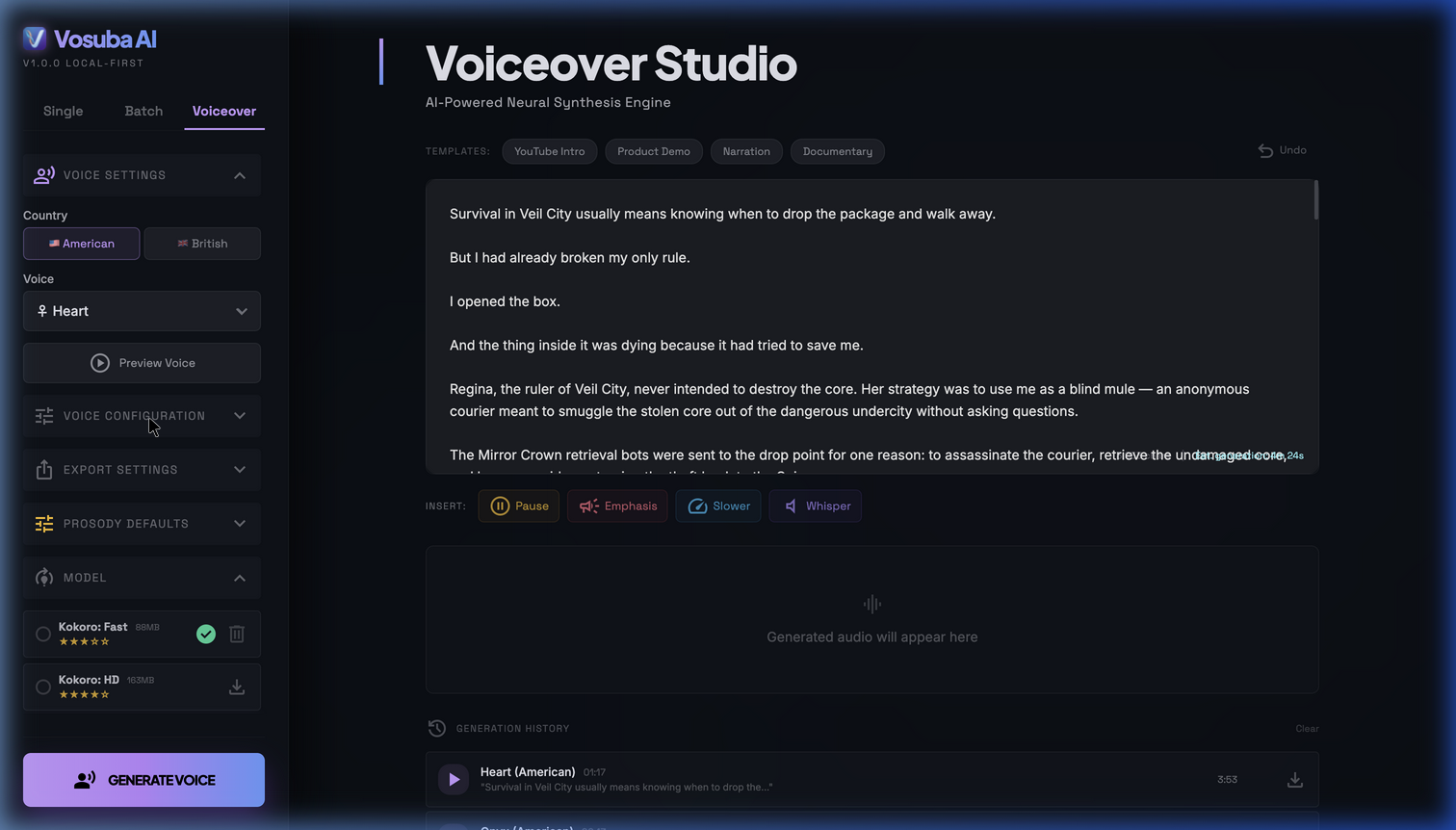
Voiceover Studio
Generate natural voiceovers with 26 AI voices. Clone any voice from a short audio sample. Control pacing, emphasis, and whisper delivery.
- 26 neural voices across American & British accents
- Voice cloning from audio reference
- Speech controls: pause, emphasis, slow, whisper
- Export WAV or MP3 narration
100% Private
Your files never leave your Mac. Zero cloud uploads, zero data collection, zero telemetry. Runs entirely on-device.
WCAG-Ready Caption Tools
Built-in accessibility dashboard validates your captions for CPS, sound annotations, and speaker labels — helping you meet WCAG 2.2, ADA, FCC, and DCMP standards.
26 AI Voices + Cloning
Neural voiceovers with emotion transfer. Clone any voice from a short sample. Speech controls: pause, emphasis, slow, and whisper delivery.
Pay Once, Own Forever
No subscriptions. No per-minute billing. One purchase, lifetime access. Free tier available to get started.
How Vosuba compares
See exactly how Vosuba stacks up against popular cloud-based subtitle tools.
Vosuba vs MacWhisper
Transcription-only vs full subtitle + voiceover suite. See the feature-by-feature breakdown.
Vosuba vs Submagic
$20/mo cloud subscription vs $49 one-time offline tool. Compare pricing, privacy, and features.
Vosuba vs Captions.ai
Mobile-first cloud app vs desktop-native offline suite. See where each tool excels.
Vosuba vs Descript
Full video editor vs focused subtitle + voiceover tool. Compare cost and workflow.
Vosuba vs CapCut
Free cloud editor vs privacy-first offline captioning. Why creators are switching.
Vosuba vs Rev
Per-minute cloud transcription vs unlimited offline AI. Compare for high-volume captioning.
Simple, honest pricing
No subscriptions. No per-minute charges. Pay once, use forever.
Try the core features. No time limit.
- Whisper tiny & base models
- Unlimited SRT / VTT exports
- 3 style presets + basic animations
- Burn video (watermark)
Requires macOS 13 Ventura+ · Apple Silicon
All models, all styles, no watermark.
- All Whisper models (tiny → turbo)
- Burn video — no watermark
- All 10 style presets + custom styles
- Multi-speaker labels
- Sound detection (SDH exports)
- Caption accessibility dashboard
- SRT / VTT / ASS exports
The complete creative suite for serious creators.
- Everything in Creator
- Voiceover Studio (26 AI voices)
- AI voice cloning from audio
- Batch processing (entire folders)
- Speech controls & voiceover export
- Priority email support
Enterprise Per seat · Annual
Volume licensing for media teams, universities, and broadcasters. Includes everything in Pro, plus dedicated support and custom onboarding.
Questions & answers
Is it really 100% offline?
Yes. Vosuba runs entirely on your Mac using local AI models (Whisper for transcription, Kokoro/Chatterbox for voiceovers). Your files are never uploaded anywhere. The only network request is optional license activation — after that, it works fully offline.
What's the difference between Creator, Pro, and Enterprise?
Creator ($49) unlocks all Whisper models, removes the watermark, adds all 10 style presets, multi-speaker labels, sound detection, caption accessibility tools, and all export formats. Pro ($99) adds the Voiceover Studio (26 AI voices, voice cloning from audio), batch processing, and priority support. Enterprise ($399/seat/yr) provides volume licensing with dedicated support for institutional deployments.
Do I get free updates?
Yes. All minor updates (1.x) are free forever. Major version upgrades (2.0, 3.0) are available at a discounted upgrade price for existing customers.
Does it help me create WCAG 2.2 AA compliant captions?
Yes. Vosuba includes a built-in accessibility dashboard that validates your captions' reading speed (CPS), line length, sound annotations, and speaker identification against WCAG 2.2, ADA, FCC, and DCMP captioning standards. It helps you produce compliant caption files — note that this refers to the caption output, not the application UI itself. Requires Creator tier or above.
Can I get a refund?
As a digital product, purchases are generally non-refundable once the licence key is issued. However, if you're entitled to a refund under your local consumer protection laws (e.g. EU/UK 14-day right of withdrawal), we'll honour it. We strongly recommend trying the free version first. See our Refund Policy for full details.
Ready to get started?
Download Vosuba free — upgrade anytime to unlock all features.
Download for Mac — FreemacOS 13+ · Apple Silicon · No account required